12. How to scan github C++ project by Coverity
Use Coverity cloud scan defects for Open Source project
12.1. Prepare Coverity tools
Open coverity scan website and login with Github account.
In “My Dashboard”, add your github project.
Download coverity tools from coverity tool download
$ du -sh cov-analysis-linux64-2019.03.tar.gz
715M    cov-analysis-linux64-2019.03.tar.gz
Add bin directory to PATH
$ tail -2 /etc/profile
export PATH=$PATH:/root/coverity/cov-analysis-linux64-2019.03/bin
12.2. Build and scan project
build
# prepare cmake to generate Makefiles
cd app-mesh/
mkdir build
cd build
cmake ..
# use cov-build command to run make
cov-build --dir cov-int make
coverity will do the real build together with static analysis:
cov-build --dir cov-int make
  ├─cov-build --dir cov-int make
  └─make
      └─make -f CMakeFiles/Makefile2 all
          └─make -f src/cli/CMakeFiles/appm.dir/build.make src/cli/CMakeFiles/appm.dir/build
              └─sh -c...
                  └─cov-translate /usr/bin/c++ -I/usr/local/include -DBUILD_TAG=appmesh--2020-07-29T09:31 -std=c++11 -o CMakeFiles/appm.dir/main.cpp.o
                      └─cov-emit --dir=/root/code/app-mesh/build/cov-int --ignore_path=/tmp/cov-root/6802e08fa63b8588bc3755d3c8f8273a/cov-configure--ignor

cov-build --dir cov-int make
  ├─cov-build --dir cov-int make
  └─make
      └─make -f CMakeFiles/Makefile2 all
          └─make -f src/daemon/process/CMakeFiles/process.dir/build.make src/daemon/process/CMakeFiles/process.dir/build
              └─c++ -I/usr/local/include -DBUILD_TAG=appmesh--2020-07-29T09:31 -std=c++11 -o CMakeFiles/process.dir/MonitoredProcess.cpp.o -c...
                  └─cc1plus -quiet -I /usr/local/include -D_GNU_SOURCE -D BUILD_TAG=appmesh--2020-07-29T09:31/root/code/app-mesh/src/daemon/process/MonitoredPr
check build status
$ tail -2 cov-int/build-log.txt
2020-07-29T01:35:07.946274Z|cov-build|7598|info|> 46 C/C++ compilation units (100%) are ready for analysis
2020-07-29T01:35:07.946274Z|cov-build|7598|info|> The cov-build utility completed successfully.
compress coverity work dir
$ tar czvf appmesh.tar.gz cov-int
$ du -sh appmesh.tar.gz
79M     appmesh.tar.gz
Upload your build result to Coverity Server (token can get from coverity portal)
$ curl --form token=Yor-Coverity-Token \
  --form email=178029200@qq.com \
  --form file=@appmesh.tar.gz \
  --form version="3.0.0" \
  --form description="gcc 8.3 build" \
  https://scan.coverity.com/builds?project=laoshanxi%2Fapp-mesh
All done, open your dashboard to view the defects
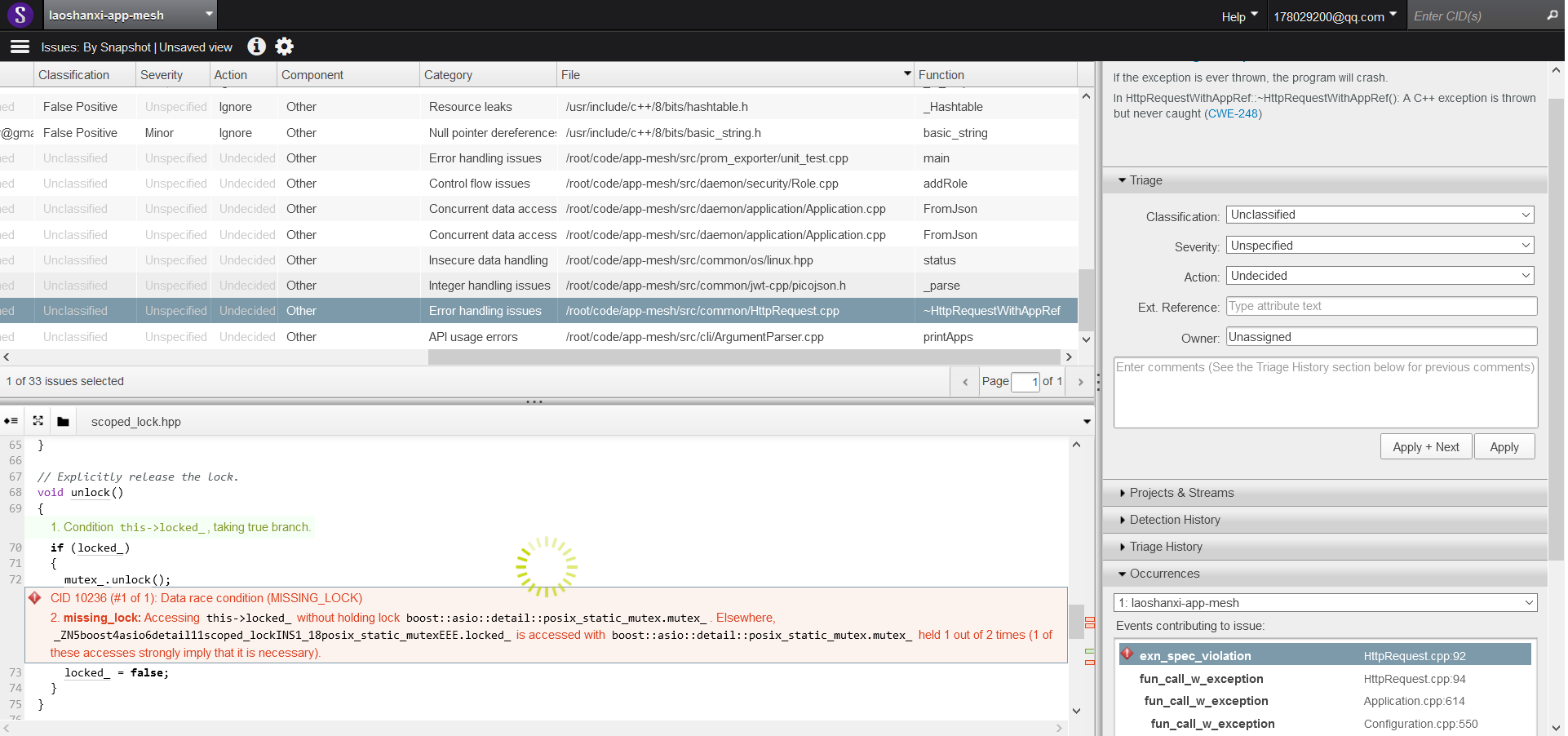
Additional, integrate Coverity with Github Action automaticlly refer to: coverity_workflow