6. JWT authentication 
JSON Web Tokens are an open, industry standard RFC 7519 method for representing claims securely between two parties.
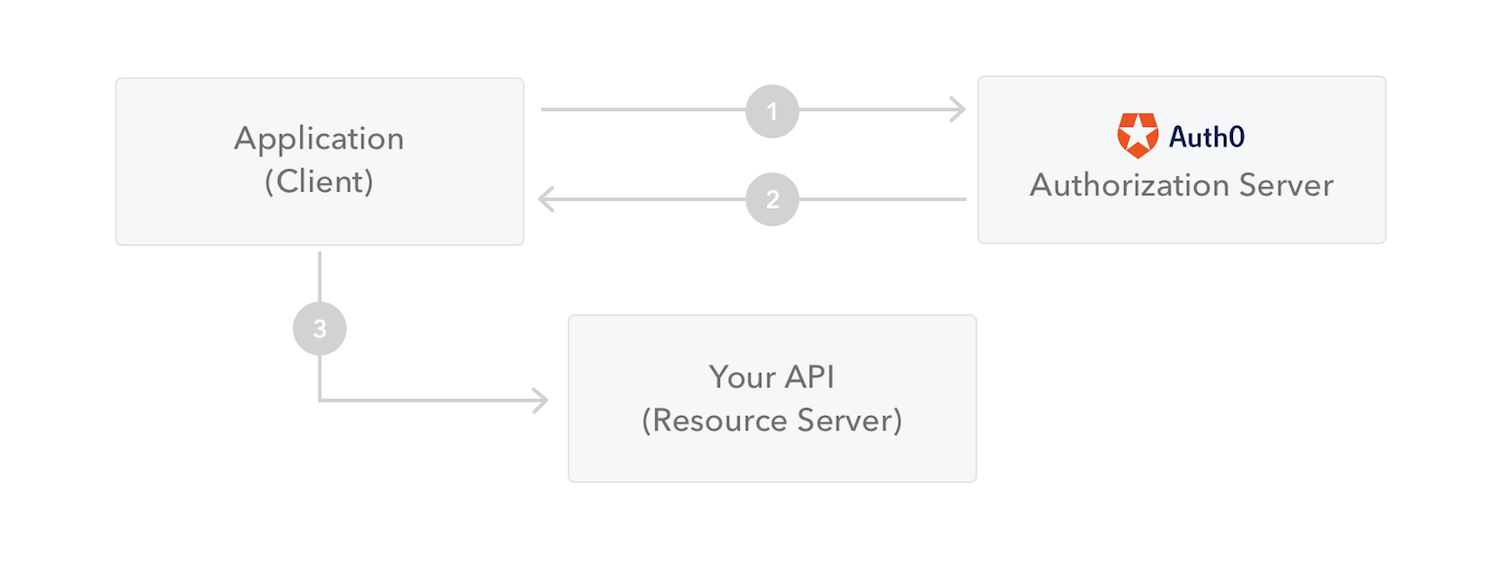
What is supported:
REST login use JWT standard
Support local JSON based user management
Provide login and auth API to run as a stand-alone JWT server
Support centralized user & role DB server by Consul
What is not supported:
Redirect authentication to another JWT server is not supported
6.1. GET JWT token
| Method | URI | Body/Headers | Desc |
|---|---|---|---|
| POST | /appmesh/login | Authorization=Basic base64(NAME:PASSWD) Optional: X-Expire-Seconds=600 X-Totp-Code=TOTP_KEY X-Audience=appmesh-service |
User login, return JWT token or require next TOTP validate |
| POST | /appmesh/totp/validate | { "user_name":"NAME", "totp_code":"TOTP_KEY", "totp_challenge":"CHALLANGE_ABC", "expire_seconds":360000 } | Validate TOTP key, return JWT token |
curl -X POST -k -s -H "Authorization:Basic $(echo -n 'user:pwd' | base64)" -H "X-Expire-Seconds:2" https://localhost:6060/appmesh/login | python -m json.tool
The REST will response bellow json when authentication success:
{
  "access_token": "eyJhbGciOiJIUzI1NiIsInR5cCI6IkpXVCJ9.eyJleHAiOjE2MDU5MjA1NjQsImlhdCI6MTYwNTMxNTc2NCwiaXNzIjoiYXBwbWVzaC1hdXRoMCIsIm5hbWUiOiJhZG1pbiJ9.hPOGoU5cl8TexQKyUnKpSi4r9Hy0Vhi03A-mCyQfpXw",
  "expires_in": 604800,
  "expire_time": 1605920564,
  "profile": {
    "auth_time": 1605315764,
    "name": "admin"
  },
  "token_type": "Bearer"
}
| response | desc |
|---|---|
| access_token | JWT token content |
| expire_time | UTC time (seconds) the token will expire, is the server time plus the input X-Expire-Seconds |
| auth_time | the server UTC time (seconds) |
| token_type | JWT standard "Bearer" |
6.2. Use JWT token for REST request
| Method | URI | Body/Headers | Desc |
|---|---|---|---|
| POST | /appmesh/auth | headers: Authorization=Bearer Optional: X-Permission=permission-id |
JWT token authenticate |
curl -s -X POST -k -H "Authorization:Bearer $JWT_TOKEN" -H "X-Permission:app-view" https://127.0.0.1:6060/appmesh/auth | python -m json.tool
The REST will response bellow json when authentication success:
{
  "access_token": "<JWT_TOKEN>",
  "expires_in": 600,
  "expire_time": 1605920564,
  "issued_at": 1605919964,
  "profile": {
    "auth_time": 1605919964,
    "group": "",
    "name": "mesh"
  },
  "token_type": "Bearer"
}